iPad and Walsh Wireless
These instructions will be used to connect to the “Walsh” wireless network. This is the network you should use as a student when on campus.

These instructions will be used to connect to the “Walsh” wireless network. This is the network you should use as a student when on campus.
From your home screen open your Settings app.

From the settings window press Wi-Fi then press Walsh.
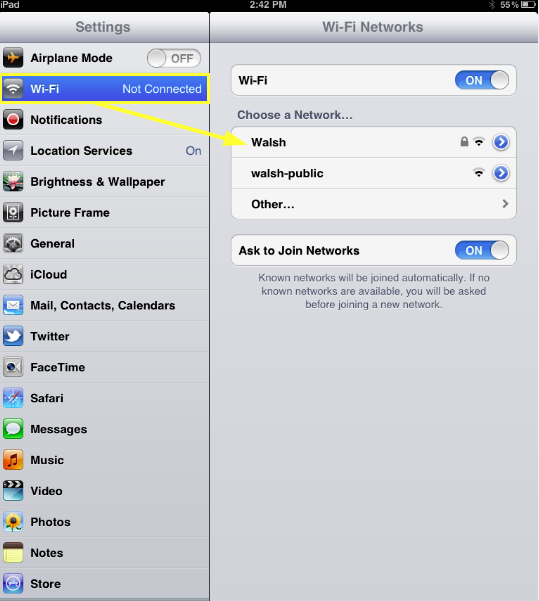
Another window will open; here you will enter your username and password. This is the same username and password you use to log into your computers at Walsh. When you are done press Next.

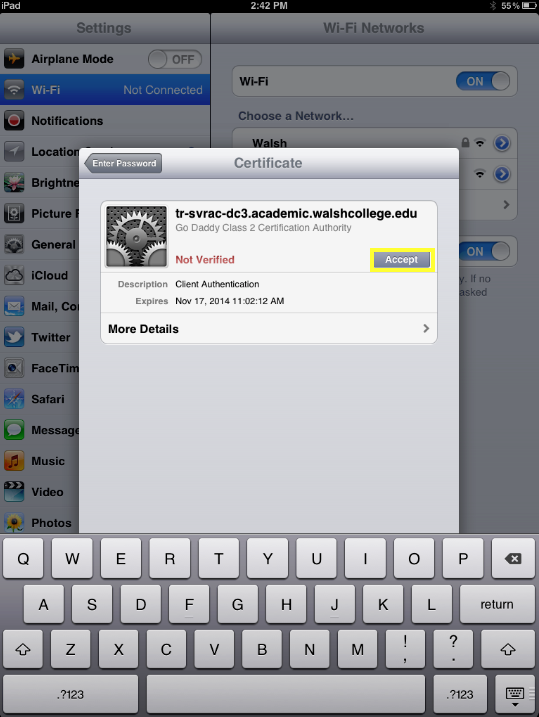
The next window that pops up is a certificate warning. Please click Accept to install the certificate and finish logging in.
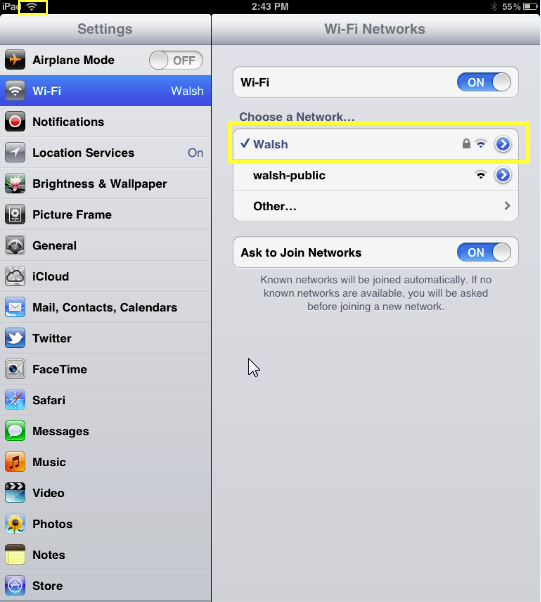
Once connected your screen should show a check mark next to Walsh.
Walsh College is implementing new technology systems to better serve our students and improve the overall student experience. During this transition, you may experience occasional delays in reaching certain offices or receiving responses.
Thank you for your patience as we complete these important improvements. We appreciate your understanding and remain committed to providing you with exceptional service.