Walsh Wireless Troubleshooting
This document is used to troubleshooting your problems when connecting to the Walsh wireless.

This document is used to troubleshooting your problems when connecting to the Walsh wireless.
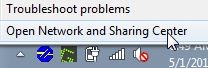
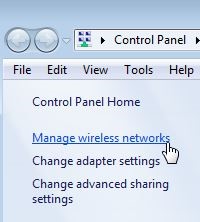
NOTE: If Walsh does not show in the list of networks on the computer, click Add above the lists of Networks. On the next window, click on Manually Create a Network Profile. Fill out the form as follows:
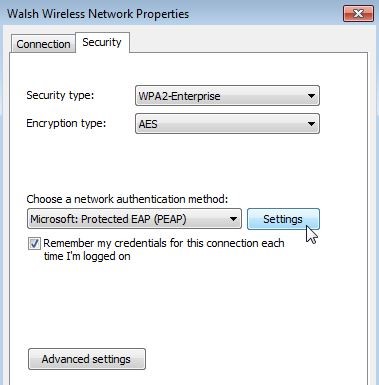
Network name: Walsh
Security Type: WPA2-Enterprise
Encryption Type: AES
After filling out the form and press Next and then click Change connection settings.




Walsh College is implementing new technology systems to better serve our students and improve the overall student experience. During this transition, you may experience occasional delays in reaching certain offices or receiving responses.
Thank you for your patience as we complete these important improvements. We appreciate your understanding and remain committed to providing you with exceptional service.